Key takeaways
- Digital inspection software helps industrial teams digitize inspections, capture findings and evidence, and manage inspection information from the field.
- The biggest value is connecting inspection findings to maintenance, safety, corrective actions, and broader operational workflows.
- Industrial inspection software can support mobile and offline field work, digital workflows, evidence capture, scheduling, reporting, issue tracking, and inspection history across distributed sites and assets.
- Digital inspection workflows are relevant across energy and utilities, oil and gas, transportation, facilities, and other field-heavy industrial operations.
- Telepresenz SmartOPS enables digital inspection workflows as part of a broader frontline operations platform. At Honeywell’s Fort Liberty operations, it delivered a 90% reduction in manual reporting time and 100% digital traceability through centralized, auditable inspection records.
Industrial inspections are critical to keeping equipment, people, and sites safe and operational. But across field-heavy industrial operations, inspection information stays spread across paper forms, spreadsheets, mobile apps, maintenance systems, emails, and reporting tools.
This affects operations, maintenance, HSE, asset management, and plant and site teams across manufacturing, oil and gas, energy and utilities, transportation, and facilities management. These teams have workers performing inspections across plants, remote sites, and distributed assets while supervisors and managers work from elsewhere.
The problem isn’t simply how inspections are recorded. What happens to inspection information after it’s recorded is the real problem. If that finding has to be manually passed between a checklist, spreadsheet, email, and reporting tool, action can be delayed. Details can get lost along the way. Inspection data becomes harder to search, compare, escalate, and connect to the work needed to resolve it. A worker may spot a damaged component, safety hazard, abnormal reading, or compliance issue.
Gartner’s research reflects the broader need for organizations to digitally transform frontline workflows and connect frontline workers with the technology and data they need. Its field service guidance also identifies inspections, safety forms, evidence capture, and mobile workflows as part of digitally enabled field operations.
Digital inspection software closes this gap by turning inspection from a standalone checklist into a connected workflow. For industrial teams looking to connect inspections with broader frontline operations, Telepresenz SmartOPS supports digital inspection workflows alongside maintenance and other operational processes.
What is digital inspection software?
Digital inspection software helps industrial teams create, assign, complete, and manage inspections using digital workflows.
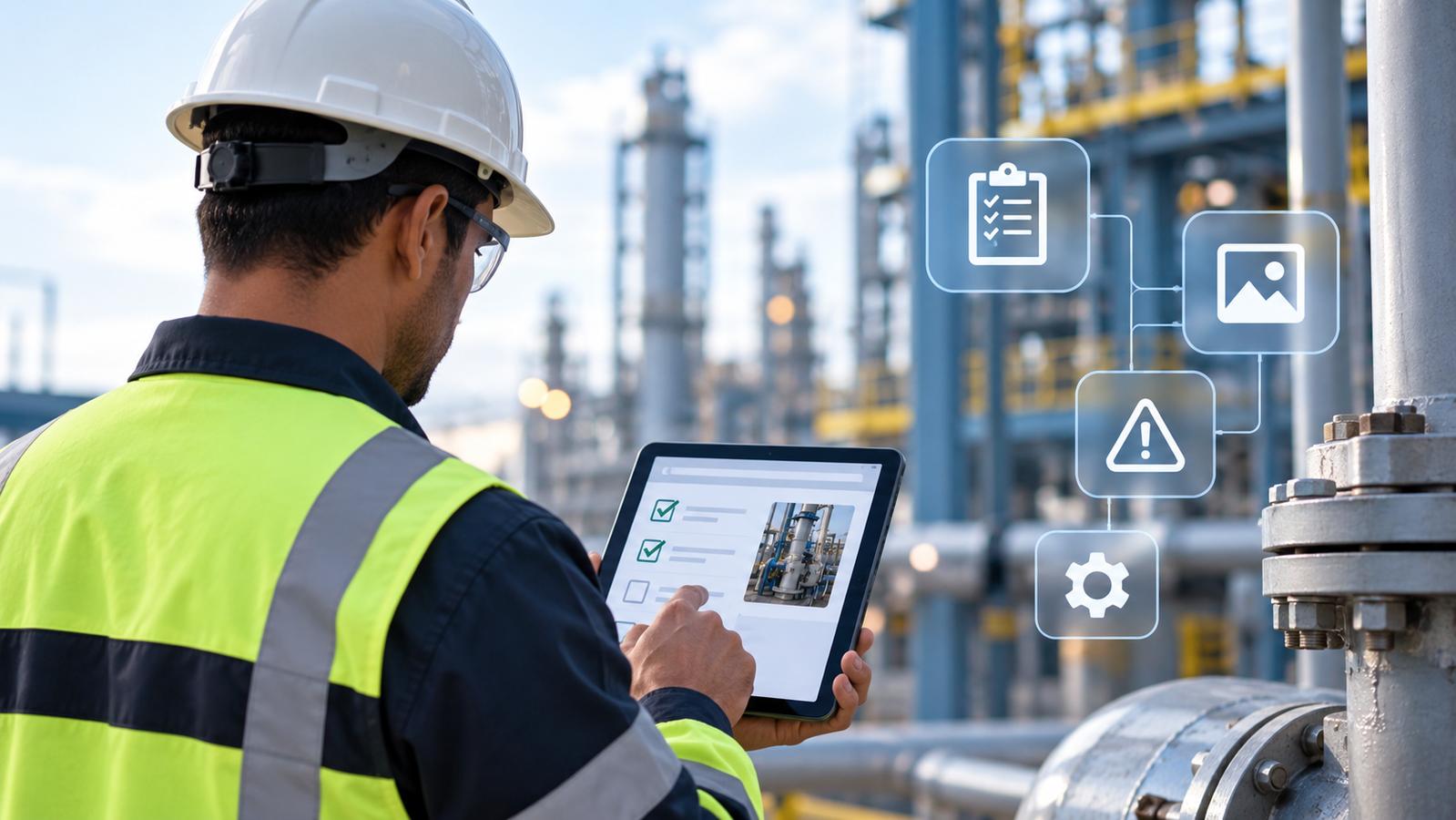
A digital inspection can replace a paper checklist with a workflow that guides an industrial worker through the required checks. The worker can record results from the point of work and add supporting information to the inspection record.
Depending on the software, capabilities may include:
- Digital inspection checklists
- Inspection scheduling
- Mobile inspection workflows
- Offline inspection access
- Photos and video
- Notes and measurements
- Findings and issue tracking
- Corrective actions
- Inspection history
- Reports and dashboards
- Integration with operational systems
The software can range from simple tools for digitizing inspection forms to platforms that connect inspection workflows with maintenance, safety, asset, and operational processes. For industrial organizations, that difference matters when selecting a solution.
Why move from paper inspections to digital workflows?
Paper inspections can create extra work after the worker completes the form.
A worker may need to submit the form to a supervisor. Someone may then enter the information into a spreadsheet or another system. Photos may sit on a phone or in a separate folder. Findings may be sent by email or discussed in person.
This creates gaps between the inspection and the action that follows. A 2025 research study examining more than 95,000 production issues found that users of digital field-reporting software reported time savings, cost reductions, and improved quality control.
Digital inspection software can reduce these gaps by keeping inspection information in a structured digital record.
Standardized inspection processes
Paper forms can make it harder to keep inspection procedures consistent across sites, shifts, and teams. Digital workflows can guide workers through the required checks and apply consistent fields, instructions, and acceptance criteria across different inspection processes.
Faster access to inspection findings
With paper-based processes, inspection information may not be available to supervisors or other teams until forms are collected, reviewed, and manually processed. Digital workflows can make results available as soon as they are submitted, reducing the gap between identifying an issue and reviewing it.
Better evidence capture
Digital inspections can keep photos, videos, measurements, notes, and other evidence with the relevant inspection or finding. This avoids the need to manage inspection information and supporting evidence as separate records.
Better collaboration
Inspection findings need input from more than the person who performed the inspection. Digital records can give supervisors, maintenance, safety, quality, and operations teams access to the same inspection information, making it easier to review findings and coordinate the next step.
Easier issue follow-up
A failed inspection does not always mean the work is finished. It may need an escalation, corrective action, maintenance task, or another operational response. Digital workflows can connect the finding to the appropriate follow-up process, depending on the software and the organization’s workflow.
Easier access to historical records
Digital inspection records can be searched and reviewed without sorting through paper files. This makes it easier to compare previous findings, review recurring issues, and retrieve supporting evidence when investigating an asset or preparing for an audit.
Lower administrative effort
Paper-based inspections can create additional work through printing, collecting forms, manual transcription, organizing photographs, and compiling reports. Research on digital inspection documentation has identified manual data entry and re-entry as sources of both administrative effort and potential inaccuracies.
The bigger shift: from records to operational data
The strongest case for digital inspections is not simply that they eliminate paper. Digital inspections do more than eliminate paper. The real gain is structured, searchable, shareable information that other operational processes can use.
How does digital inspection software work?
A digital inspection workflow can follow a process like this:
Plan → Assign → Inspect → Capture → Review → Identify → Escalate → Act → Report
Plan the inspection
The team defines the inspection process and decides what needs to be checked. This may cover equipment, facilities, safety conditions, maintenance tasks, operator rounds, or compliance checks.
Assign the inspection
The inspection can be assigned to a worker or team based on the site, asset, schedule, or operating process. Recurring inspections can also be scheduled in advance.
Complete the inspection
The worker follows the digital workflow from a mobile device or another supported device. The workflow can guide the worker through the required checks and record responses as the inspection is completed.
Capture evidence
The worker can add information that supports the inspection result. This may include a photograph of damaged equipment, a measurement, a note about an abnormal condition, or another relevant record.
Review the results
Supervisors or other responsible teams can review inspection results and identify findings that require attention. Issues like damaged equipment, abnormal readings, safety hazards, or failed checks can then be prioritized for follow-up.
Take action
A finding may lead to an escalation, corrective action, maintenance task, or another operational response. The exact process depends on the organization’s workflow and the software being used.
Report and retain the record
Completed inspections can become part of the organization’s operational history. Teams can use this information for reporting, audits, reviews, and future inspections.
What features should digital inspection software include?
When evaluating a digital inspection solution, industrial buyers should assess it against the work their teams actually perform. Connecting inspection findings with maintenance workflows can extend the value of field data beyond the inspection itself. McKinsey reports that predictive maintenance can reduce machine downtime by 30% to 50%.
Digital inspection workflows
The platform should support digital checklists and workflows that match the organization’s inspection procedures.
Mobile inspection software
Workers need access to the inspection process where the work takes place. Mobile support can help teams complete inspections without returning to a desk.
Offline capability
Some industrial sites have weak or limited connectivity. Offline inspection capabilities can allow workers to continue working when a network connection is unavailable, with data synchronized when connectivity returns.
Evidence capture
The ability to capture photos, videos, notes, readings, and other evidence can improve the record created during an inspection.
Inspection scheduling
Recurring inspections need a way to manage schedules and assignments.
Findings and issue management
Inspection tracking software can help teams monitor failed checks, open findings, corrective actions, and inspection status.
Corrective actions
Teams may need to assign actions after an inspection finding and track their completion.
Inspection history
Historical inspection data can help teams review previous findings and understand changes over time.
Reporting
Supervisors and managers may need reports covering completed inspections, failed checks, open findings, and other inspection data.
Multi-site support
Organizations with several plants, facilities, or field locations may need one platform that supports different sites and inspection workflows.
Enterprise integrations
Inspection data may need to connect with ERP, CMMS, asset management, EHS, or other business systems. The right integration model depends on the organization’s technology environment.
AI capabilities
AI can support specific inspection tasks. It may help create digital inspection workflows from existing documents, review visual information, identify possible defects, summarize records, or help teams find patterns in inspection data. The value of an AI feature depends on the problem it solves and how that output is used by the operational team.
What types of industrial inspections can be digitized?
Digital inspection software can support many inspection processes across industrial organizations.
Equipment inspections
Workers can inspect machinery and equipment and record their observations digitally.
Maintenance inspections
Maintenance inspection software can help maintenance teams document equipment conditions and findings during fieldwork.
Safety inspections
Safety teams can use structured workflows to record hazards, unsafe conditions, and inspection results.
Facility inspections
Facility teams can digitize recurring checks across buildings, infrastructure, equipment, and other areas.
Operator rounds
Operators can use digital workflows for routine equipment and process checks.
Quality inspections
Manufacturing teams can use digital inspections for quality checks and process verification.
Compliance inspections
Digital records can help organizations maintain inspection evidence and historical records for internal reviews and compliance activities.
Asset condition inspections
Teams can record observations about asset condition during recurring inspections. These applications can support manufacturing, oil and gas, energy and utilities, transportation, facilities, and other asset-intensive operations.
Who uses digital inspection software?
Digital inspection software is commonly used by industrial organizations where workers perform inspections across plants, facilities, remote sites, equipment, and distributed assets.
Typical users:
- Operations teams
- Maintenance teams
- HSE professionals
- Asset managers
- Inspectors
- Supervisors
- Field technicians
Common industries:
- Manufacturing
- Oil and gas
- Energy and utilities
- Transportation
- Facilities management
- Other asset-intensive operations
What should you look for in digital inspection software?
The right digital inspection software should match the way your frontline teams actually work. Start by documenting your current inspection process, then evaluate each platform against the requirements that matter most to your operations.
Start by documenting how an inspection works today.
Then assess questions like these:
Can frontline workers use the software at the point of work?
The workflow should be practical for the people completing inspections.
Can the inspection process be configured?
Different assets and sites may need different inspection workflows.
Does it support offline work?
This can matter for remote sites and industrial locations with limited connectivity.
Can workers capture evidence?
Check whether the platform supports the evidence your inspection process requires.
What happens when a worker finds an issue?
This is an important product evaluation question.
Look at how findings move from the inspection into review, escalation, corrective action, maintenance, or another workflow.
Can supervisors see inspection activity?
Check whether managers can view completed inspections, failed checks, findings, and open actions across the sites they manage.
Can it connect with existing systems?
Review how the software works with ERP, CMMS, asset management, safety, and other systems already used by the organization.
Can it support different inspection processes?
Test the software against several real inspection workflows, not one simple demo.
Can inspection history be searched?
Historical information can be useful when teams investigate recurring equipment issues or review past inspections.
Where does AI add value?
Ask what the AI feature does and how the output changes the work of the frontline or operations team. An AI feature should have a clear connection to an inspection task or operational decision.
How does digital inspection software fit into industrial operations?
Inspections are connected to other activities across industrial operations.
A maintenance team may inspect equipment before planning work. A safety team may inspect a site and identify a hazard. An operator may find an abnormal condition during a routine round.
The inspection creates information that another person may need to use.
A digital inspection workflow can connect that information to the next operational step.
Frontline work → Inspection → Finding → Review → Action → Record
This connection can help teams move information from the field into the operational processes that depend on it.
It also gives managers a clearer view of what workers are finding during field activities.
See Telepresenz in action
See how Telepresenz supports digital inspection workflows for frontline industrial teams.
How Telepresenz supports digital inspections
Telepresenz provides AI-powered frontline industrial operations software for teams that need to digitize field execution. SmartOPS is Telepresenz’s frontline operations platform, supporting digital workflows for maintenance, inspections, and other frontline activities. Teams can use SmartOPS to guide workers through digital workflows, capture information and evidence from the field, and connect field activity with operational visibility.
For inspection teams, this means moving beyond standalone digital forms. SmartOPS can support inspection workflows that capture findings and evidence in the field and connect them with the wider operational, maintenance, safety, and follow-up processes used by industrial teams.
From paper inspection logs to digital traceability
A real-world example is Telepresenz’s work with Honeywell at Fort Liberty, where operators performed inspection rounds across 17 heat and chill plants. Inspection information was recorded using paper-based logs and later transcribed into Excel, while physical logbooks were used for shift handovers.
Telepresenz digitized this process, giving the team centralized inspection records and real-time visibility into plant operations. The deployment resulted in a 90% reduction in manual reporting time and 100% digital traceability through centralized, auditable inspection records.
See how Honeywell digitized plant inspections here.
Digital inspection software across industrial industries
Telepresenz helps energy and utilities, oil and gas, transportation, and facilities teams digitize inspections across distributed operations. Teams can use mobile digital workflows to capture inspection findings and evidence across power generation, renewable energy sites, rigs, refineries, pipelines, terminals, rail, aviation, marine assets, and facilities.
By connecting inspection activity with broader operations, maintenance, safety, and follow-up workflows, Telepresenz helps teams maintain consistent inspection processes and better visibility across sites and assets.
Ready to digitize your inspection workflows?
Book a demo to move beyond paper checklists and disconnected inspection records. See how Telepresenz helps industrial teams digitize inspections, capture field evidence, and connect findings with maintenance and follow-up actions.
FAQs
How does digital inspection software work offline?
Can digital inspection software connect inspection findings to maintenance workflows?
What types of inspections can digital inspection software support?
What digital inspection software can connect inspections with maintenance and follow-up actions?
What digital inspection software has proven results in industrial operations?
Written by

Indu Tolia
Founder and CEO of Telepresenz
She leads the company’s work to help industrial organizations make frontline work safer, more connected, and more efficient through technology.
Connect with Indu Tolia on LinkedIn